
Edit The Gallery
(This apply also for Before and After gallery)
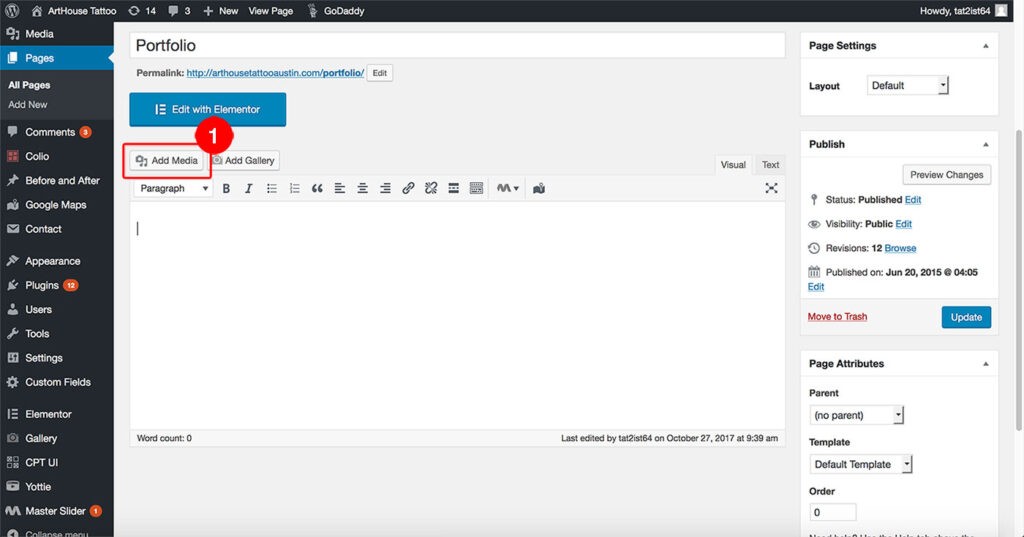
Go to:
Pages/ Portfolio/ Add Media
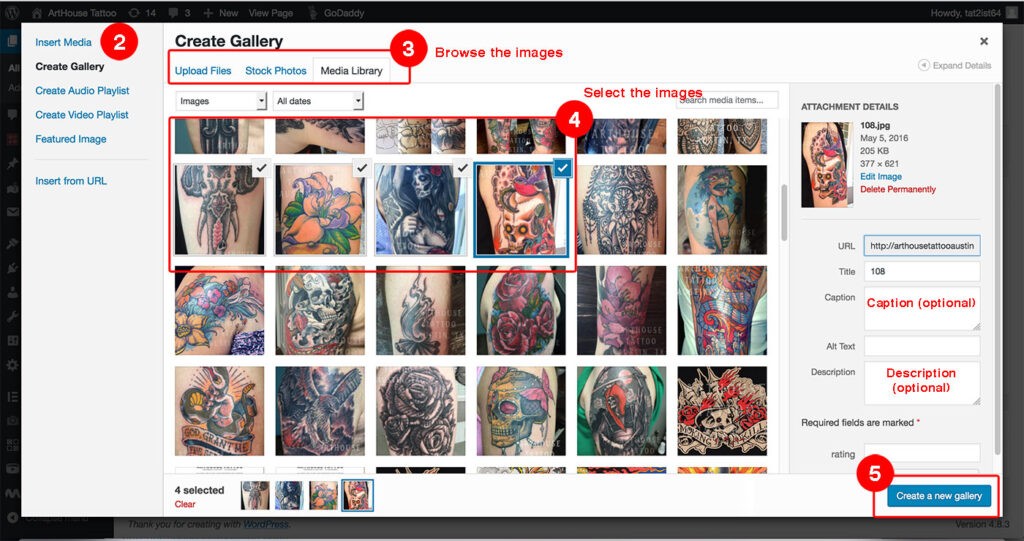
Click Create Gallery
Upload images or insert from the Media Library
Select the image that u want to show in the gallery
You can add Title Caption and Description (optional)
Click Create a new gallery
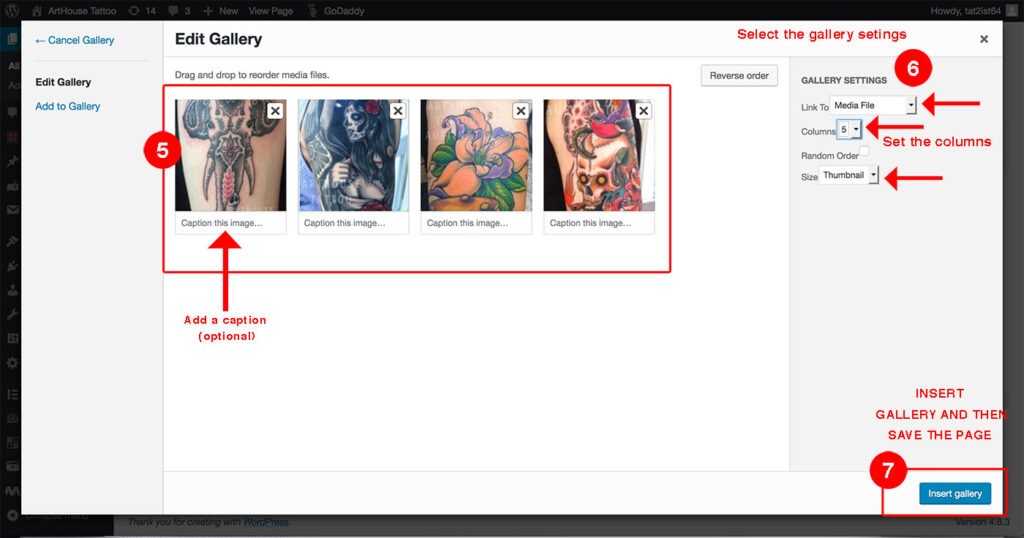
Gallery Settings
You can move the images to the desire order? You can add captions here too
The settings in the right hand size:
Media File ( in order to show the pop images)
Columns ( select the columns 5 columns in portfolio?? 4 columns in before and after )
Size ( select thumbnail)
You can learn how to create a photo gallery with this Youtube video
https://www.youtube.com/watch?v=Wqj7-kuVFqY